Your timesheets. All in one place.
Bring in a photo, PDF or spreadsheet. timepilot organises the hours in your Work queue so you can check the exceptions against the source.
Paper, PDF, Excel, CSV and JSON
Keep the timesheets your team knows. Import them into timepilot, check what needs attention, and send the ready hours to payroll.
Bring in a photo, PDF or spreadsheet. timepilot organises the hours in your Work queue so you can check the exceptions against the source.
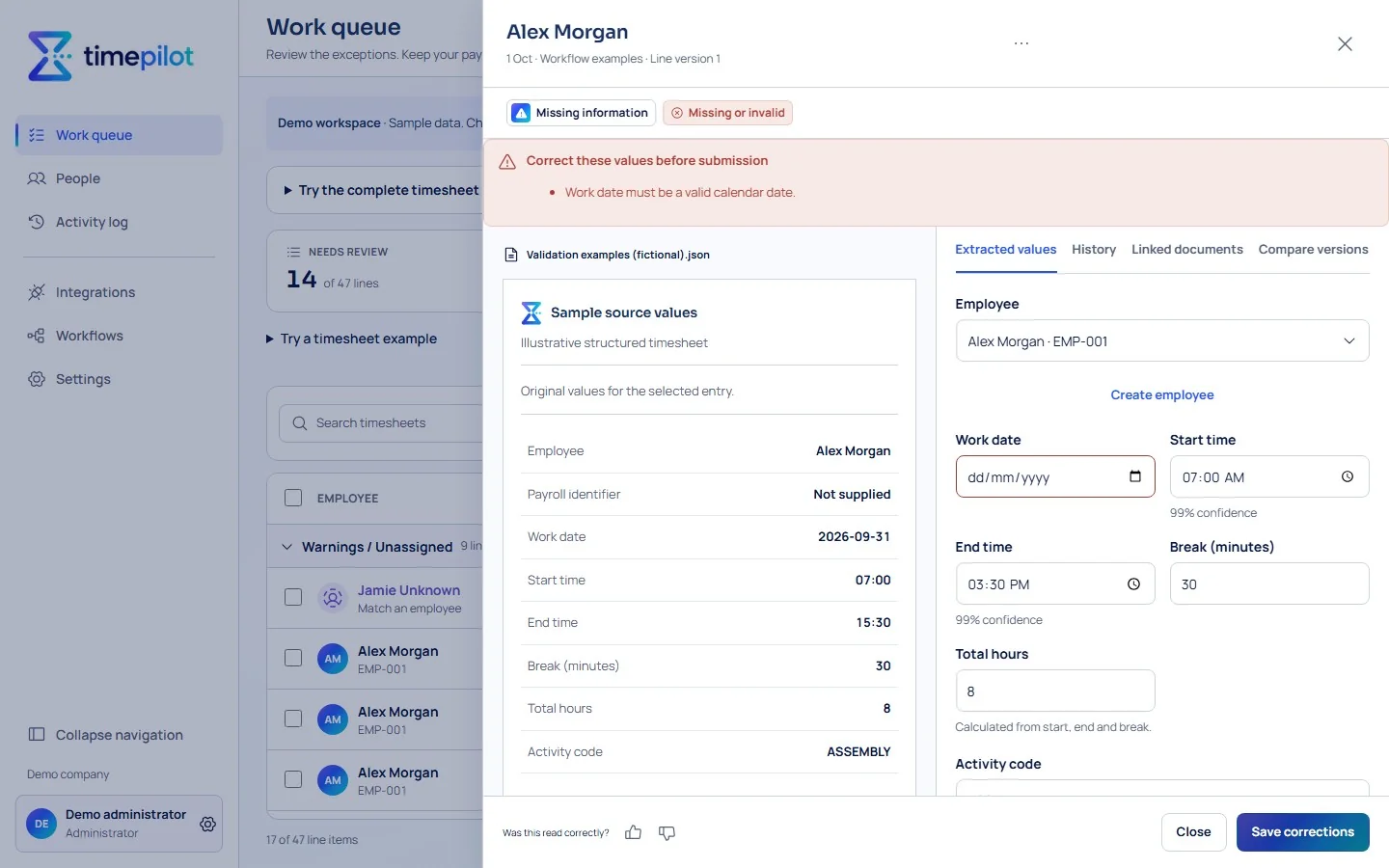
See the source beside each entry. Correct a missing value, match an Employee or check an uncertain field before you submit.
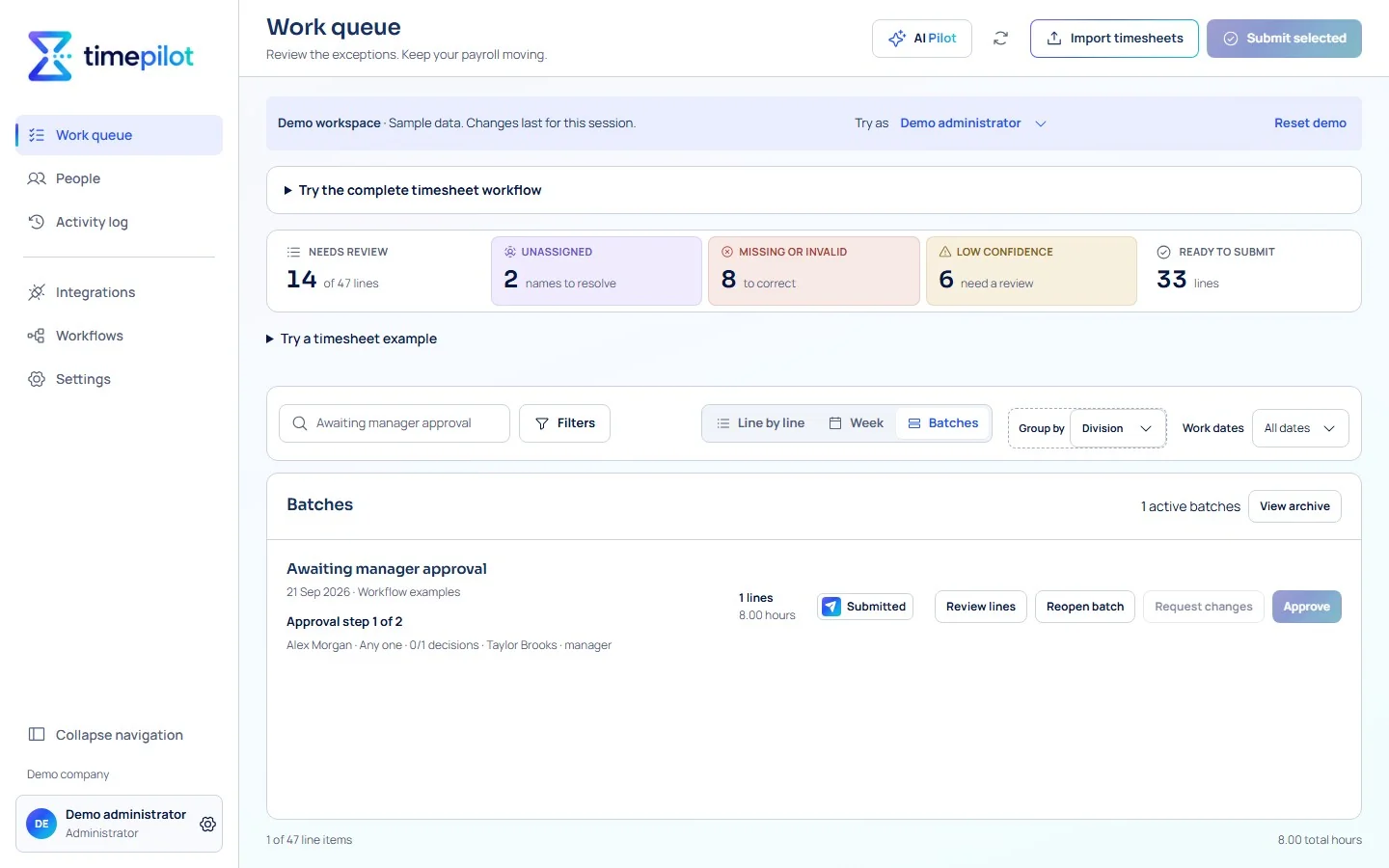
Submit the checked entries. If your Company uses approvals, route them to the right people before export. Otherwise, go straight to your payroll hand-off.
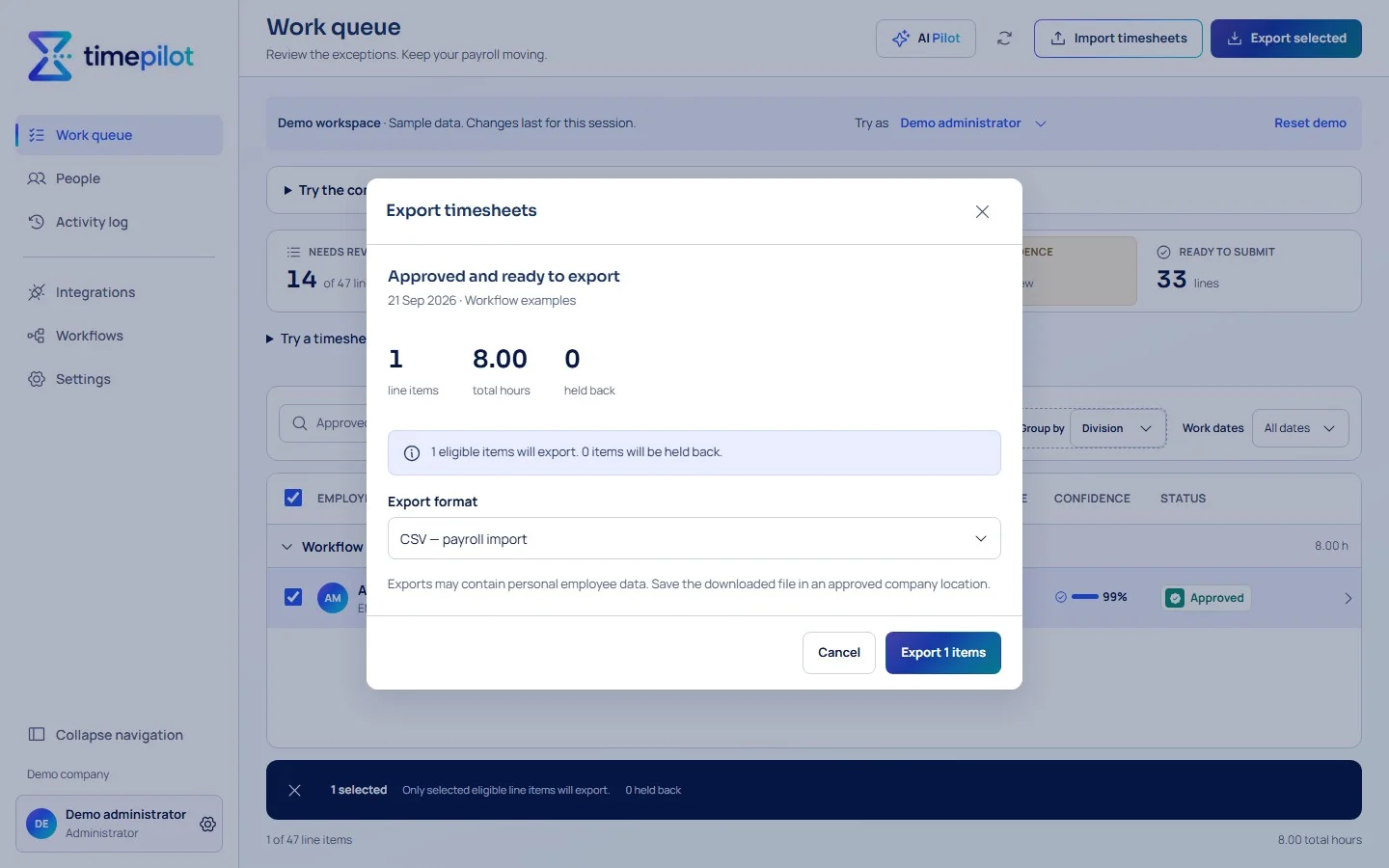
Export eligible entries in your payroll file format. Unresolved entries stay in timepilot for attention. Direct payroll transfers require a verified, activated connection.
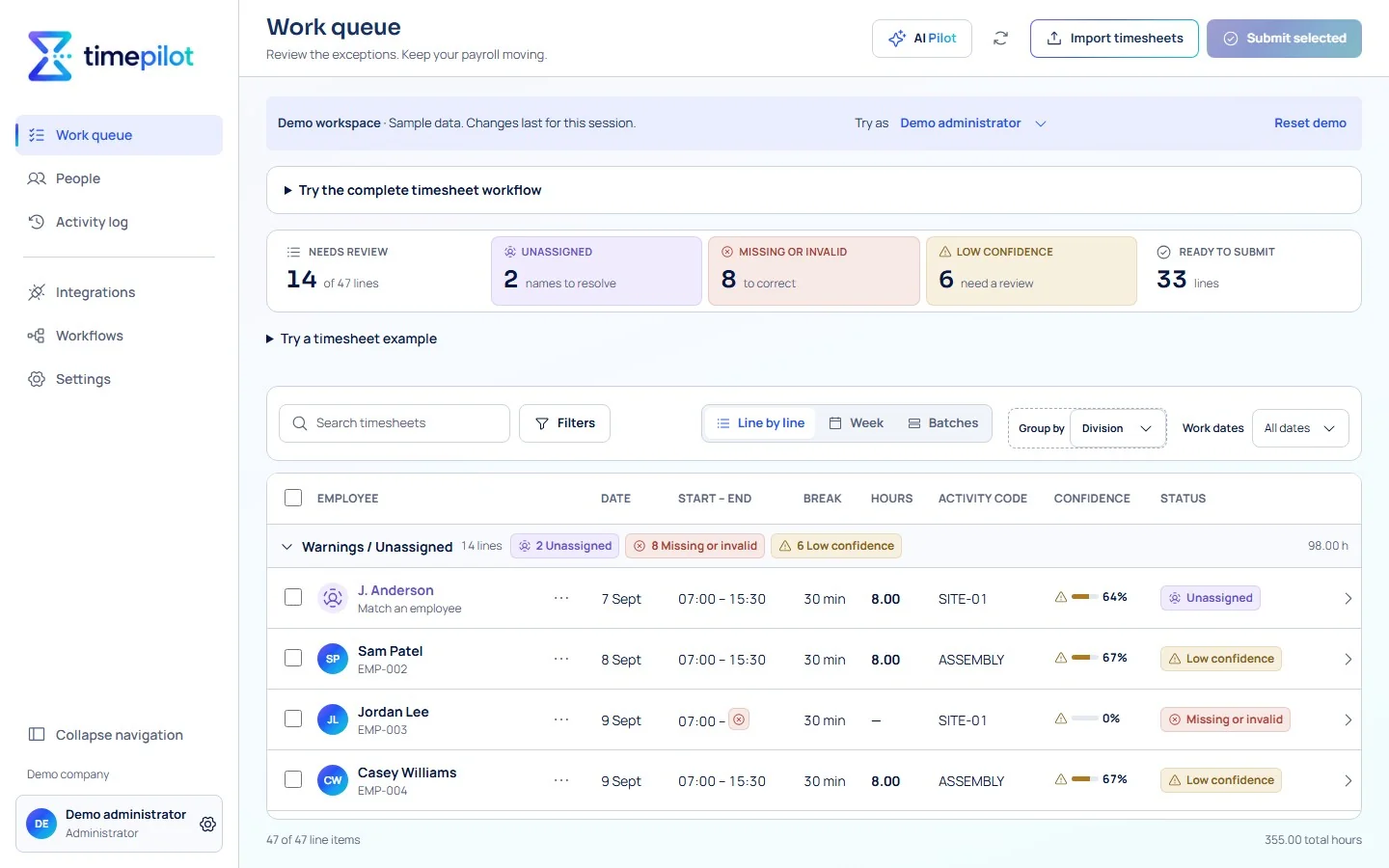
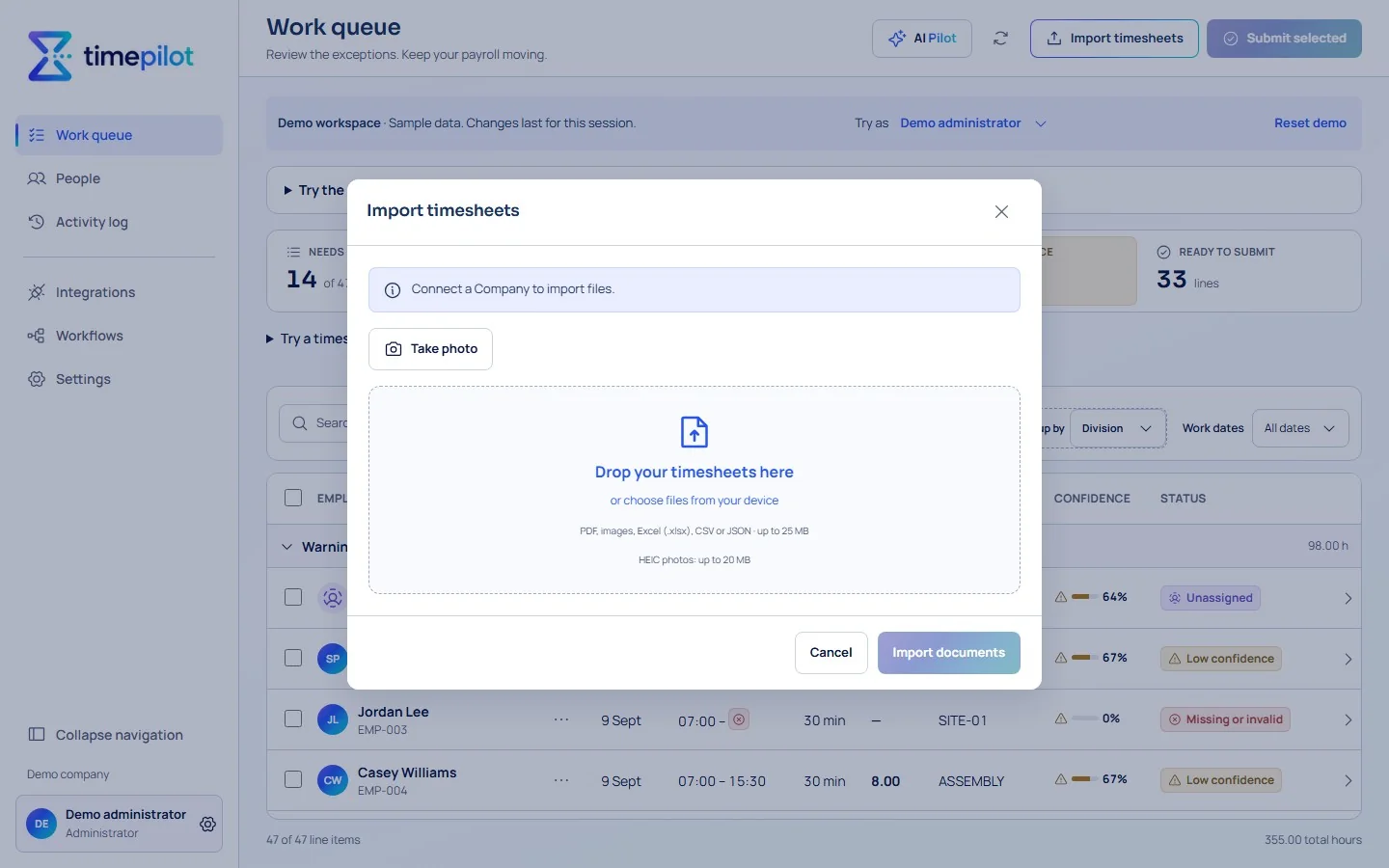
Bring in a photo, PDF or spreadsheet. timepilot organises the hours in your Work queue so you can check the exceptions against the source.
See the source beside each entry. Correct a missing value, match an Employee or check an uncertain field before you submit.
Submit the checked entries. If your Company uses approvals, route them to the right people before export. Otherwise, go straight to your payroll hand-off.
Export eligible entries in your payroll file format. Unresolved entries stay in timepilot for attention. Direct payroll transfers require a verified, activated connection.
Keep familiar timesheets. Catch the exceptions. Give your team a clearer path from recorded hours to payroll.
Bring photos, PDFs and spreadsheets together. With reading activated, AI helps structure document hours for your review.
Missing finishes, uncertain values and unmatched names stand out, with the original beside the entries you check.
Send checked entries to the right manager or approver. Keep approval optional when your process doesn't need it.
With AI services activated, read handwritten timesheets, surface insights for review and get contextual help from AI Pilot. You stay in control of decisions and changes.
Preview and export eligible hours in your chosen file format. Anything unresolved stays back for attention.
Follow corrections, approvals and exports through the Activity log, with the source context kept close.
Payroll syncs and file exports.

From the floor and field to the payroll desk.
Find out how timepilot works with your timesheets and payroll.
No. Keep using your existing paper timesheets, photos, PDFs or spreadsheets. Your payroll team uses timepilot to turn them into hours ready to review and export.
Yes, when reading services are activated. Import a photo or scan of a handwritten timesheet, then review the results against the original. timepilot flags uncertain values for your team to check before export; it does not guarantee every value will be read correctly.
Export reviewed hours to Excel, CSV or JSON. Payroll integrations are also available in beta; direct transfers need verified access and activation for your payroll setup.
Yes. Your team can check flagged entries against the source and correct them before export. Add an approval step if you need one. timepilot prepares the hours; your payroll system handles the pay run.
Select Start your trial and sign up with your business email. Use an example timesheet to set up your fields, then import your first timesheets and review the results. If you need a hand, send us an enquiry below.
timepilot is live. Bring your familiar timesheets, review what needs attention and prepare your data for payroll.
Start using timepilotStart your timepilot trial.